Highlights
The opportunity
Enable developers to move through the IDE with fluidity.
Developers at Intuit face significant inefficiencies completing core tasks within the IDE due to disjointed workflows and a lack of access to key tools. The initial launch of the IDE extension failed to address these issues, as it didn’t align with developers' daily needs and workflows.
Given the amount of time spent and the impact of the work completed in the IDE, the opportunity was clear: Improve core tasks efficiency by streamlining workflows and surfacing the right information at the right time.
Goals
Decrease time spent on core tasks.
Improving overall task efficiency within the IDE.
Integrate seamlessly with third-party tools.
Providing unique value without disrupting existing developer processes.
Enhance the developer experience.
Creating a unified, intuitive interface that supports daily workflows.
The current experience
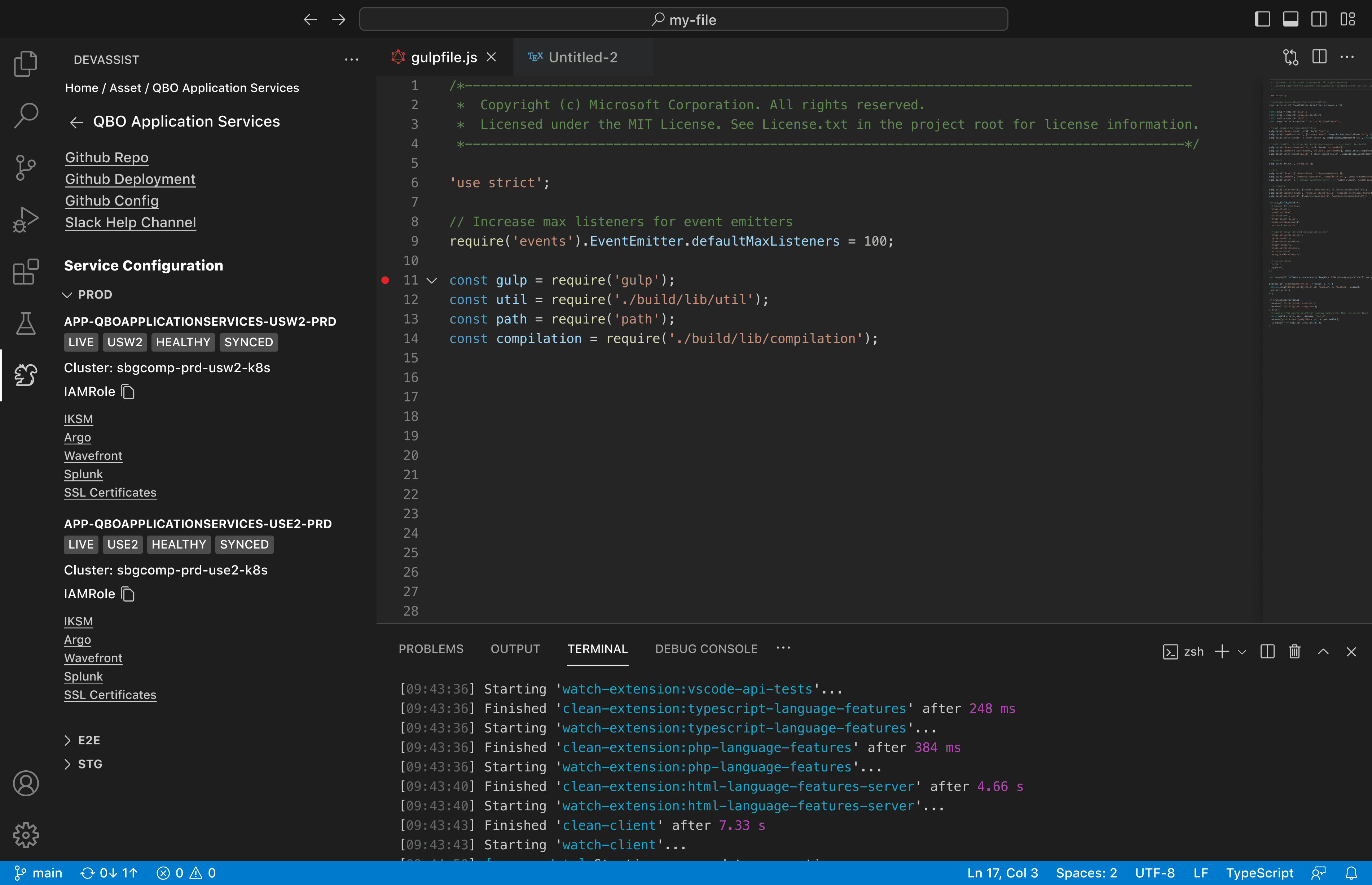
An IDE is the central workspace for developers to write code. The IDE has key functionality which can be built upon through extensions. The initial version of the IDE extension, DevAssist, that was launched brought in relevant asset data directly into the IDE. It pulled in details related to the active repo, such as one-time user IDs, full team structures (including managers and directors), GitHub links, and more. While well-intentioned, the extension struggled to deliver meaningful value in practice.
Much of the content was already accessible via a quick browser search, and the experience lacked a clear hierarchy or opinion on what information actually mattered.
The Extension Landscape
The challenges with the DevAssist extension weren’t isolated. At the time of its launch, several other IDE plugins were already available across Intuit. These tools, like the team’s, were hyper-specific, each targeting a narrow task or workflow.
Additionally each extension required users to individually search, install and activate, resulting in low adoption rates. The lack of integration and the highly specialized nature of each extension made the overall experience bulky and rigid.
Getting started
Moving fast, but in 20 different directions
There was a strong sense of urgency to move quickly as many of Intuit’s internal developer tools had suffered from low adoption and high churn. This created pressure to find immediate solutions, often without fully understanding the long-term needs.
In the context of the IDE extension, the team was focused on bringing any existing coding-related capabilities into the IDE. However, the original goal to surface asset information did not reflect the pain points uncovered through user research. The loosely defined scope and the misalignment around what the extension should actually address led to confusion about priorities and goals.
The project plan
Aligning expectations through transparency
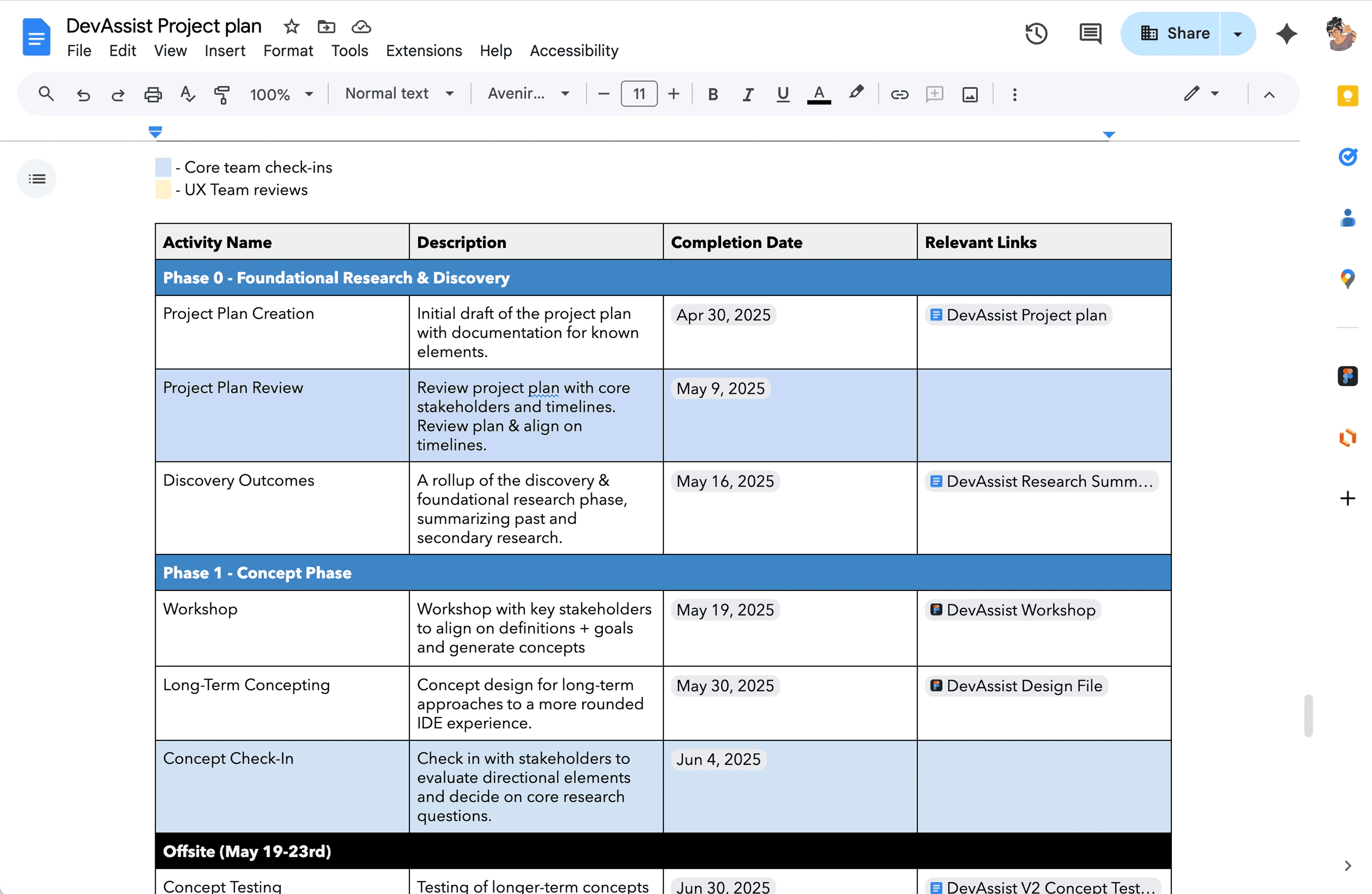
Given the differing opinions and changing milestones, the project plan became a critical tool for ensuring alignment and clarity throughout the project. It served to clearly outline the key steps in the design process, explaining why each phase was important for de-risking the project.
Providing this transparency helped align expectations and negotiate any necessary changes to ensure smoother collaboration. Additionally, the project plan acted as a communication tool providing visibility on when feedback and collaborative sessions (e.g., debriefs, brainstorming) were needed, keeping everyone on the same page.
The Challenge
Research
Leveraging what we know rather than starting from scratch
Key findings that informed the design:
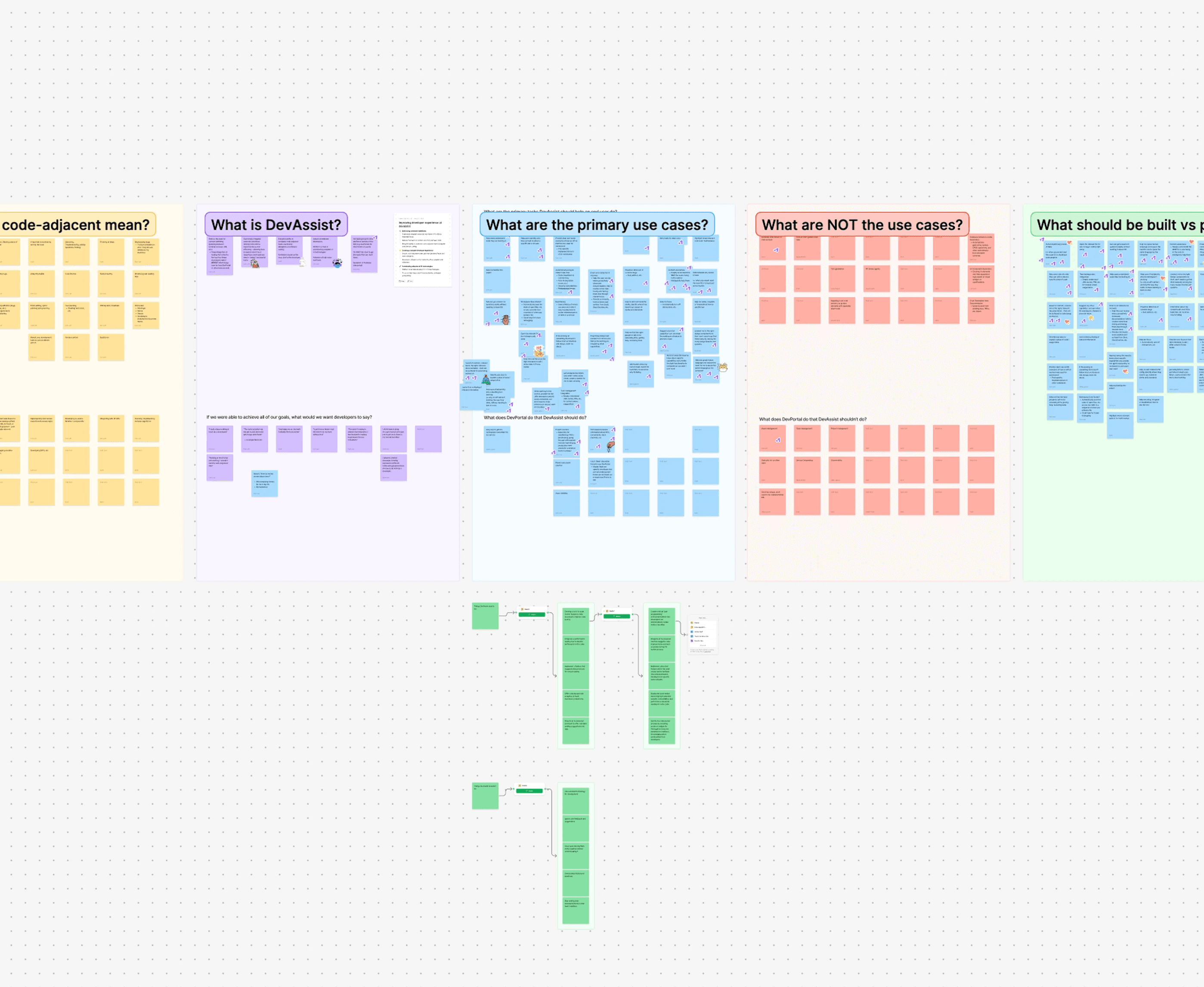
Definition Workshop
Honing towards a shared north star
Concept creation
From assumptions to testable concepts
Concept 1
Understanding the ask and defining the task.
Concept 2
Navigating the code and collaborating with teammates.
Concept 3
Receiving suggestions for improvements and refining.
Concept Test outcomes
Task specific solutions failed to address the larger problem
The concept test helped the team understand not just which elements resonated with users but why. Tactical tasks like finding metadata, connecting to API’s or searching for design components needed to be highly integrated into the workflow to be relevant, and even then they were seen as nice to haves, rather than drivers of adoption.
On the other hand micro-concepts that supported collaboration and faster understanding, such as commenting or improved navigation through complex files, resonated more deeply. This pointed to a underlying need to be able to independently understand the work and collaborate more smoothly when needed.
Reframing the problem
From isolated coding tasks to streamlining collaboration
Initially, our hypothesis was that developers needed tools to solve specific, common tasks, such as finding documentation or connecting to APIs. However, testing revealed that these tasks were much more specific and project-dependent than we thought. Solving for isolated tasks had less impact than we anticipated because they didn’t address the broader needs developers face when working on complex projects as part of a team.
The real opportunity lay in shifting focus from tactical tasks to addressing the foundational needs for effective teamwork and project collaboration. Communication, understanding, and shared context, are essential for developers working on interconnected projects.
Principles
A set of principles based in user problems to guide the path forward
Taking the outcomes of the concept test I led a debrief with product and eng partners. Together we themed the findings and aligned on the following principles to define the extension.
Communication centered
Enhance communication within teams, across teams, and even within the code itself. Ensuring that every aspect of the development process is clear, understood, and aligned.
Right Tools at the Right Time
Users have access to the right tools, resources, and actions exactly when they need them, without disrupting their workflow.
Contextually Relevant
The vision
Putting the tools for success right at your fingertips
Augment the IDE to create a single space where understanding your work, writing the code and collaborating with your team all happen in the same place. By making tools appear contextually, simplifying the way developers navigate files, and integrating comments into the editor, we can create an experience that helps them understand their tasks and act on them instantly.
The final designs
Your to-do list, but better
Developers can open their assigned tasks directly within the IDE, making it easy to track progress and keep tasks on target. Each issue is enhanced with key information, like acceptance criteria pulled from Intuit’s own best practices. This design helps solve for pain points around constant context switching and the difficulty of complying with internal standards.
The final designs
Context-aware file access
Relevant files are highlighted and broken down into code blocks that can be easily navigated, allowing developers to understand the code and make edits seamlessly. This design solves the information-gathering challenge by helping developers quickly identify which files need editing, eliminating the need to ask for help or search for resources externally.
The final designs
Uninterrupted collaboration
Integrating comments directly into the editor enables real-time collaboration with all the necessary context. This allows developers to answer questions and resolve issues quickly, reducing communication delays and solving the problem of inefficient collaboration.
The final designs
Quality control on autopilot
Built-in standards and visual cues directly promote consistent code quality within the IDE. This feature helps solve the lack of standardization in code and documentation by ensuring all developers can easily adhere to the same best practices.
The final designs
Tools that find you
Context-aware recommendations surface the right tool at the right time. By suggesting tools based on task context we centralize discovery and reduce fragmentation across the entire tool ecosystem. This approach enables other teams to contribute their specialized dev tools and empowers developers to move faster with the proper tools.
THE MVP
Taking the first step
With a broad vision in mind, our next challenge as a team was deciding where to start. I facilitated RICE prioritization sessions between product and engineering to balance the ideal user experience with what was technically feasible. We narrowed our focus to a single, critical priority for the MVP: building the foundational ability to surface the right tools to developers. This approach allowed us to create a platform that teams could immediately start contributing to.
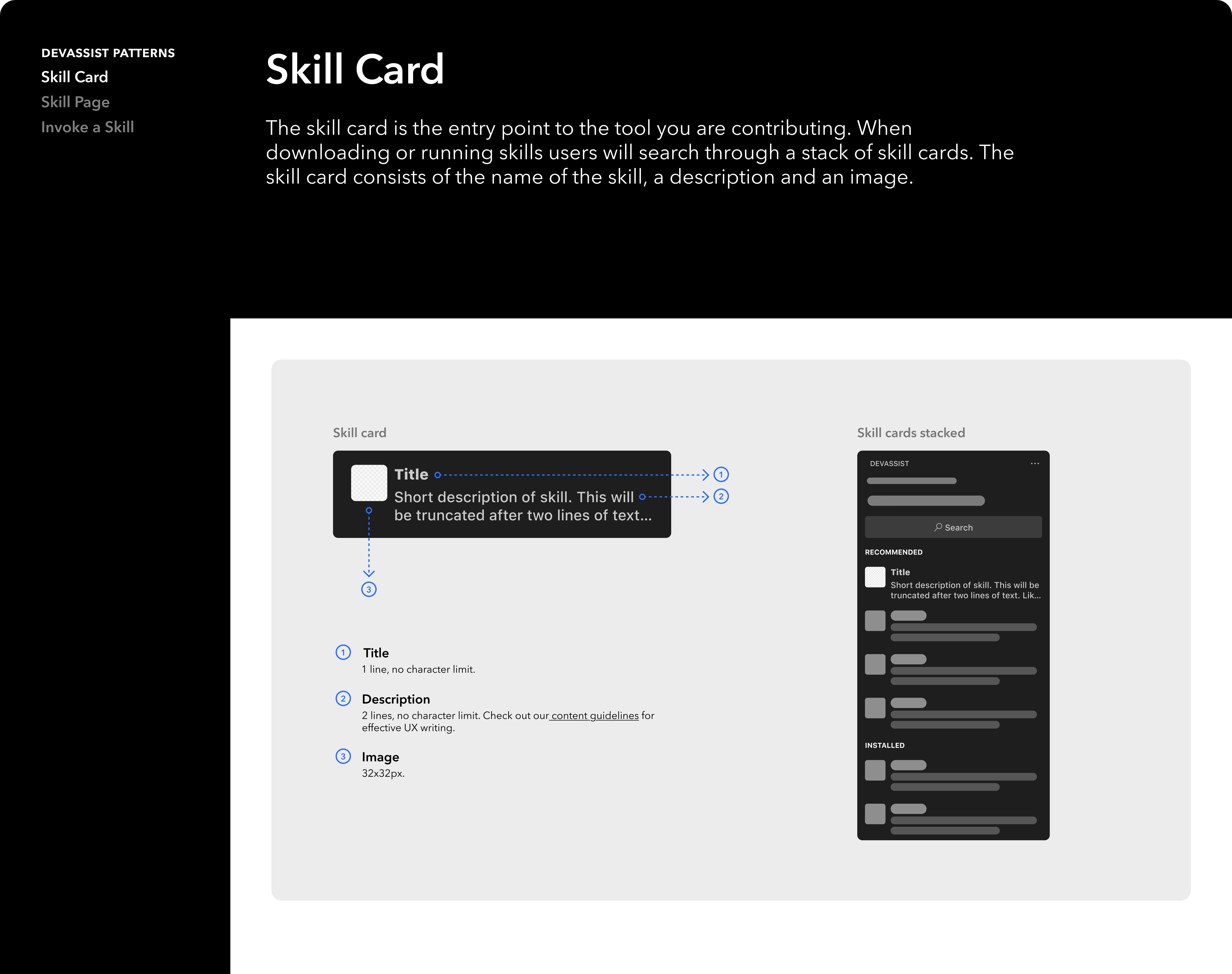
Alongside the designs, I delivered a contribution playbook that outlined how teams could add to the extension while ensuring the design principles and user experience remained consistent. This enabled the extension to scale as a platform from day one.
Impact
30% time savings
On core tasks, as measured in a usability study against our previous baseline.
$10M+ in projected savings
Based on time savings across our developer population, reinforcing the business value of investing in unified, in-context tools.
4.8/5 CSAT score
Gathered from post-launch developer surveys, highlighting strong adoption and enthusiasm for the improved experience.
Unified product & engineering direction
The IDE extension established a shared direction for product, engineering, and design. Clarifying core use cases and unlocking momentum for subsequent platform releases.
Learnings
The power of testing assumptions to create momentum
Instead of getting stuck in internal debates, we turned to our users for validation. This approach not only gave us confidence in our design direction but also significantly streamlined decision-making, allowing the project to move forward.
Making decisions for future you
The tight MVP timeline demanded quick decisions, so we relied on existing research and design intuition to unblock our engineers. The real challenge was ensuring these short-term solutions wouldn't create debt for a future we were still defining. Ultimately, I learned that navigating this tension is one of the most critical and difficult skills in product design. Sometimes good design is knowing what’s good enough for now without creating debt for what’s next.